Reviewed September 24, 2026. Features depend on your enabled modules, permissions, and configured integrations.
Tip: permissions
Everything on this page requires the manage_fundraising permission and the fundraising feature flag. NJR connects the WinRed, ActBlue, and Anedot webhooks for you.
Donors
The donor record is the spine of fundraising: identity and contact info, the FEC-required employer and occupation, ask / donated / committed amounts, pipeline status, source, and an auto-computed tier (Max-Out, Major, Mid-Level, Grassroots). Link a donor to their voter record and the address auto-fills, giving history shows on the voter profile, and election history is visible while prospecting.
Every interaction is a logged donor contact event (call, email, or meeting, with outcome and notes), and every dollar is a transaction with date, type, payment method, and designation. If the WinRed, ActBlue, or Anedot webhooks are configured, online donations flow in automatically: donor created or matched, transaction inserted.
- Bundlers. Flag a donor as a bundler, set a personal goal, and track their recruits and total bundled amount.
- Recurring donors. Recurring amount and frequency tracked separately, so monthly recurring revenue rolls up correctly. Recurring gifts from WinRed, ActBlue, and Anedot feed the sustainer program on their own.
- Households. Donors who share an address group into a household band, so you see combined giving at a glance while contribution limits still count per person. A joint check gets a suggested split, and do-not-contact donors stay off the follow-up lists.
- Lapsed donors. No transaction or contact in 6 months lands them in the lapsed report; pull them into a re-engagement universe.
Call time
Call time keeps the caller moving: donor on screen, suggested ask (computed from the ask amount, cycle giving, tier, and source), click-to-call phone, recent history so you don't repeat yourself, quick outcome buttons, and a notes field. Tap an outcome → notes auto-focus → type → next donor. Ten seconds for a no-answer, two minutes for an ask.
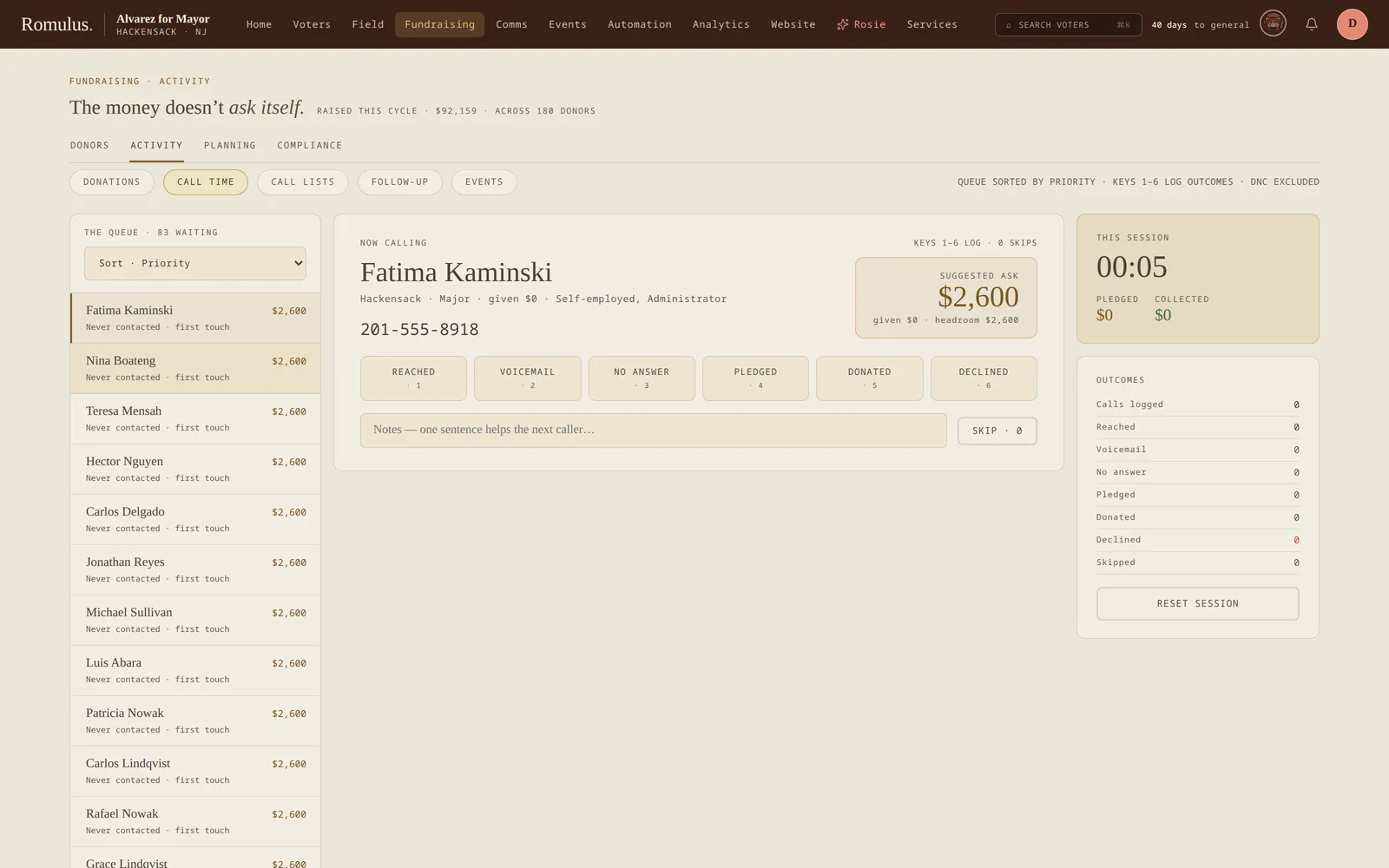
Sort the queue by priority (default), last contact, ask amount, or distance to limit, which puts donors closest to their contribution limit first for last asks before they max out. Filter by tier, source, status, or any saved donor universe for themed sessions. After a session, the summary shows donors touched, outcome breakdown, dollars committed, and dollars actually received.
Outcomes are standardized: Committed (prompts for the amount), Pledged with date, Refused, No answer, Wrong number, Callback (sets a reminder), Skip. A gift given during the call posts as a real transaction on the spot.
Tip: log without losing your rhythm
Every outcome except No answer stages on the first press instead of logging blind: the button turns amber and reads ↵ TO LOG while the notes field takes focus, so a call always leaves a sentence behind. Enter logs it, and Esc cancels. Number keys 1–6 fire the outcomes and 0 skips, so a fast caller works the whole queue from the keyboard. Donors marked do-not-contact are held out of the queue automatically, so a callable list stays callable.
Fundraiser events & ticketing
Fundraiser events carry ticket levels (Friend $25 → VIP Reception $1,000), sponsorship tiers with capacities, and a per-guest list tracking RSVP status, payment status, and notes, with day-of check-in from a phone. With Stripe Connect configured, tickets sell online from the public portal: checkout creates or matches the donor, logs the transaction, and confirms the RSVP. Once the Stripe webhook is subscribed to refund, dispute, and payout events, those come back on their own, and Stripe's fees are booked as a processing-fees expense. Fees charged by the donation portals are not captured.
Log expenses against the event as they happen and the P&L tab keeps revenue (by ticket level and tier), expenses (by category), net, and margin current. Set a capacity and further RSVPs go to a waitlist; a cancellation auto-promotes and notifies the top entry.
Post-event, three follow-up lists are ready: attended but didn't give, pledged unpaid, and event donors for thank-you calls. Bulk-create contact tasks from any of them. Run them within 48 hours; thank-yous land better fresh.
Rules packs: your jurisdiction's profile
Pick your regulator once and the whole desk speaks its language. A rules pack sets the contribution limit, the itemization threshold, the notice rules, the regulator's own labels, and a filing-deadline template. Packs ship for NJ ELEC, the FEC, NY BOE, PA DOS, and CA FPPC. Apply one and the limit meters, itemization checks, notice cards, and export labels all shift to match, while any deadlines you entered by hand are left untouched.
✶ Rosie: deadlines out of a PDF
Hand Rosie the regulator's filing calendar as a PDF and she reads the dates into your compliance calendar, flagging any that duplicate one already there. Nothing lands until you confirm it.
The packs are a starting point, not a legal opinion. Treat the limits and dates as a working draft and confirm them against the current statute with counsel before you rely on them.
Compliance & FEC export
The compliance dashboard tracks, in real time: itemization completeness for every $200+ donor (name, address, employer, and occupation, with a list of exactly who's missing what), address completeness, limit warnings (approaching / at / over limit, with the aggregator catching split spellings), and duplicate suspects ready to merge. Every donor profile shows its compliance status with a Fix button next to any gap.
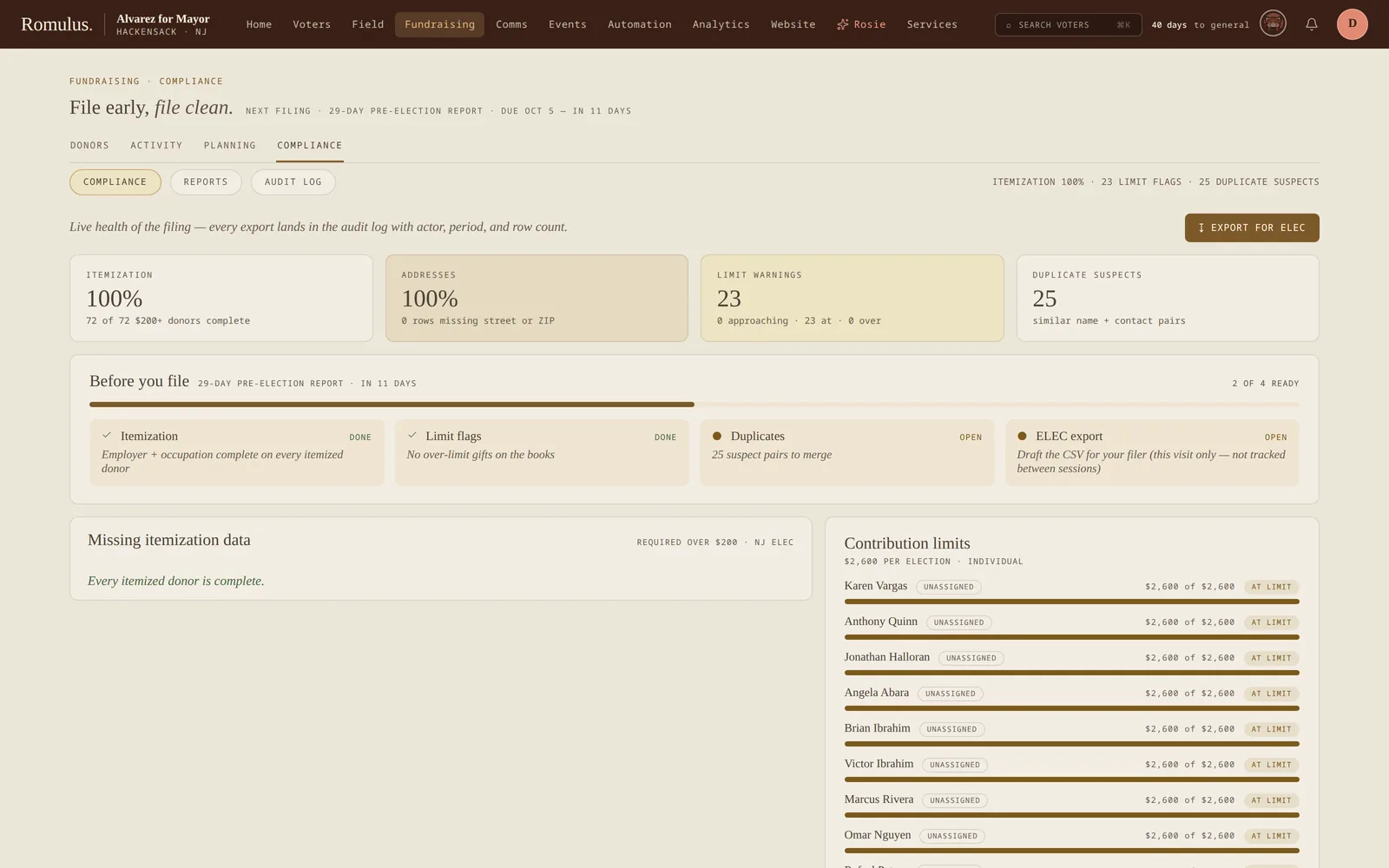
The FEC export is a one-click CSV for a chosen reporting period, in a format your filer can ingest directly. Every export, merge, refund, and limit override is audit-logged. Pull the fundraising audit log before your filing review so your filer has the record of corrections.
When a donor tips over the limit, the refund flow books a matching negative transaction and lowers their total on the spot so the books never show them over. Clear it once the check is cut and it settles as a completed refund. Duplicate suspects (the same donor entered twice) surface ready to merge, and a merge folds two giving histories into one without losing a dollar of the record.
The desk also keeps the rules that trip up a filing. Gifts carry an election designation (primary, general, and so on), and limit meters, refunds, and the FEC export all add up per election; a gift with no designation counts against every one. 48- and 24-hour notices are tracked by an hourly check that shows each notice's window, and your treasurer marks each one filed or dismissed; Romulus doesn't file anything for you. In-kind gifts count toward limits but not toward cash, loans show what's outstanding with a loan-repayment expense category, and soft credits for employer matches or bundlers show next to hard giving.
Disclaimer
Romulus is a tool, not a compliance lawyer. Always have filings reviewed by qualified counsel before submission. The dashboards and exports support that review; they don't replace it.
Reconciliation & follow-up
Two chores that usually eat a treasurer's weekend get shorter. Bank-statement import takes a CSV, OFX, or QFX straight from the bank, reconciles each line against the deposits and expenses you've already logged (the Bank against book card shows what's matched on each side), and books the rest as categorized, paid expenses, and it remembers which vendor maps to which category, so next month's statement half-fills itself. A donation-portal CSV imports gifts the same way, matching donors by email or phone, creating new ones with employer and occupation, and de-duplicating so a re-import never double-counts.
The other half is saying thank you. Every gift that hasn't been acknowledged waits in the Thank-yous queue; marking one sent logs a thank-you contact on the donor, so nobody gets thanked twice and nobody gets missed. Build your own expense categories on top of the built-in set, and pull the fundraising audit feed (its own window on the desk) for the full paper trail before a review.
Goals & burn rate
Goals come in four kinds (cycle, quarterly, monthly, and event), and they stack. Each renders as a thermometer with an on-pace marker for today, a projected total from your current run rate, and a daily $/day figure. Watch the projection more than the raised total: it tells you whether the current pace gets you there.
Burn rate shows raised vs. spent over 12 months, cash on hand, spend by category, vendor concentration, and monthly burn with runway in months. A cash-on-hand forecast carries your balance forward to the end of the cycle (cumulative actuals so far, then a projection off your last three months), so you can see now whether you finish the race in the black. Log expenses as they happen (amount, category, vendor, optional event link; linked expenses count against the event's P&L too), and the daily receipts report tracks each day's cash in with source breakdown.