Reviewed September 24, 2026. Features depend on your enabled modules, permissions, and configured integrations.
Events & RSVPs
The Events calendar handles everything that isn't a fundraiser (ticketing + P&L) or a canvass (turfs + rosters): town halls, rallies, house parties, debate watches, visibility events, and virtual meetings. Each event carries a type, time zone-aware schedule, geocoded location with directions, an optional named host (linked to their voter record when possible), and, for virtual events, a platform and join link.
RSVPs track invited / confirmed / tentative / declined / waitlist, roll up into going-maybe-declined bars, and become a turnout count once attendees are checked in at the door. Each check-in writes back to that person's voter and volunteer record, so "came to three events" is something you can filter and target on later, not just a number on the night. Turn on reminders and every RSVP gets an email ~24 hours out, once per event, in the event's own time zone.
Mark an event public and it publishes to the campaign's event portal, where supporters RSVP without an account, with a capacity, an iCal feed, and embeddable flows for your own website. Attach tasks to any event to build a prep checklist with owners and due dates.
Permissions
Events run on manage_operations with the events feature; the public portal additionally needs the portal setting enabled by an admin.
Roles & permissions
Every user has exactly one role, and a role is a checklist built from more than 30 granular permissions, grouped across Voters & Field, GOTV, Operations & Tasks, Finance & Volunteers, Communications, Website, Analytics, AI, and Services. Roles are defined per campaign, so yours can have a tailored set (Field Director, Press Officer, Call-time Caller, Intern) rather than a fixed list. Per-user overrides handle the exceptions without inventing a new role.
Typical bundles:
Permissions decide who can do what; feature flags decide what the campaign has at all. If the Finance feature is off, no role, however privileged, can touch fundraising tools, and that's enforced on the server, not just tidied out of the menu: a disabled module's whole API is switched off, so there's no back-door endpoint to poke at. Manage campaign is the master admin flag that sits above the granular set. Roles that can manage users, manage the campaign, or export data are commonly required to enable two-factor authentication.
Anyone with manage_users can browse the campaign audit log: every meaningful action recorded with actor, IP, category, and detail, retained 90 days by default. Permission changes take effect on the next request; no logout needed.
Audit log, backups & integrations
The audit log records sensitive operations with actor and context. History is subject to retention, including scheduled pruning; it is not an immutable permanent archive.
NJR hosts Romulus and takes verified nightly database backups. A full restore replaces the database, so it's something we run on request, not a button in the app.
Email, SMS, AI, payment, and webhook integrations require their own credentials and configuration. NJR sets up the platform-wide connections, such as email delivery and texting, and your campaign's own settings cover the rest. Confirm readiness in the relevant integration before relying on sending, payment ingestion, or publishing the website.
The Automation desk
Playbooks, Workflows, Agents, and Paths share one header under Automation. Tasks have owners, priorities, due dates, and progress, and My tasks on Home shows yours. Playbooks create sets of real tasks for a fundraiser, GOTV launch, or rapid-response effort: you see the exact tasks with real dates before applying, a playbook remembers it has been applied and warns before creating duplicates, and each application is audit-logged.
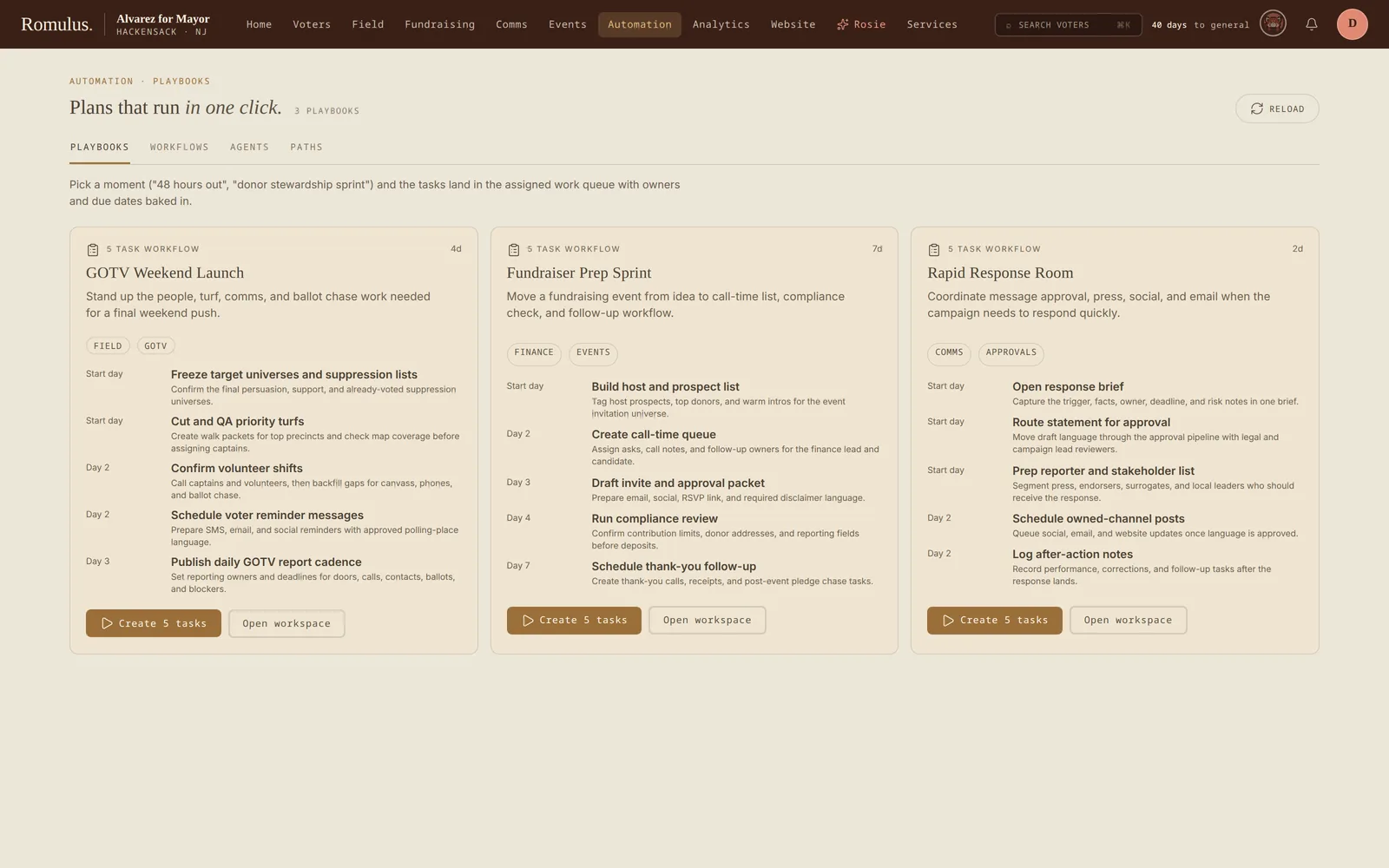
Paths (voter journeys) track a person through named stages, such as contacted → trained → active. Workflows connect triggers, conditions, and actions in a graph with run history. Numa has office-scoped Paths and workflows too.
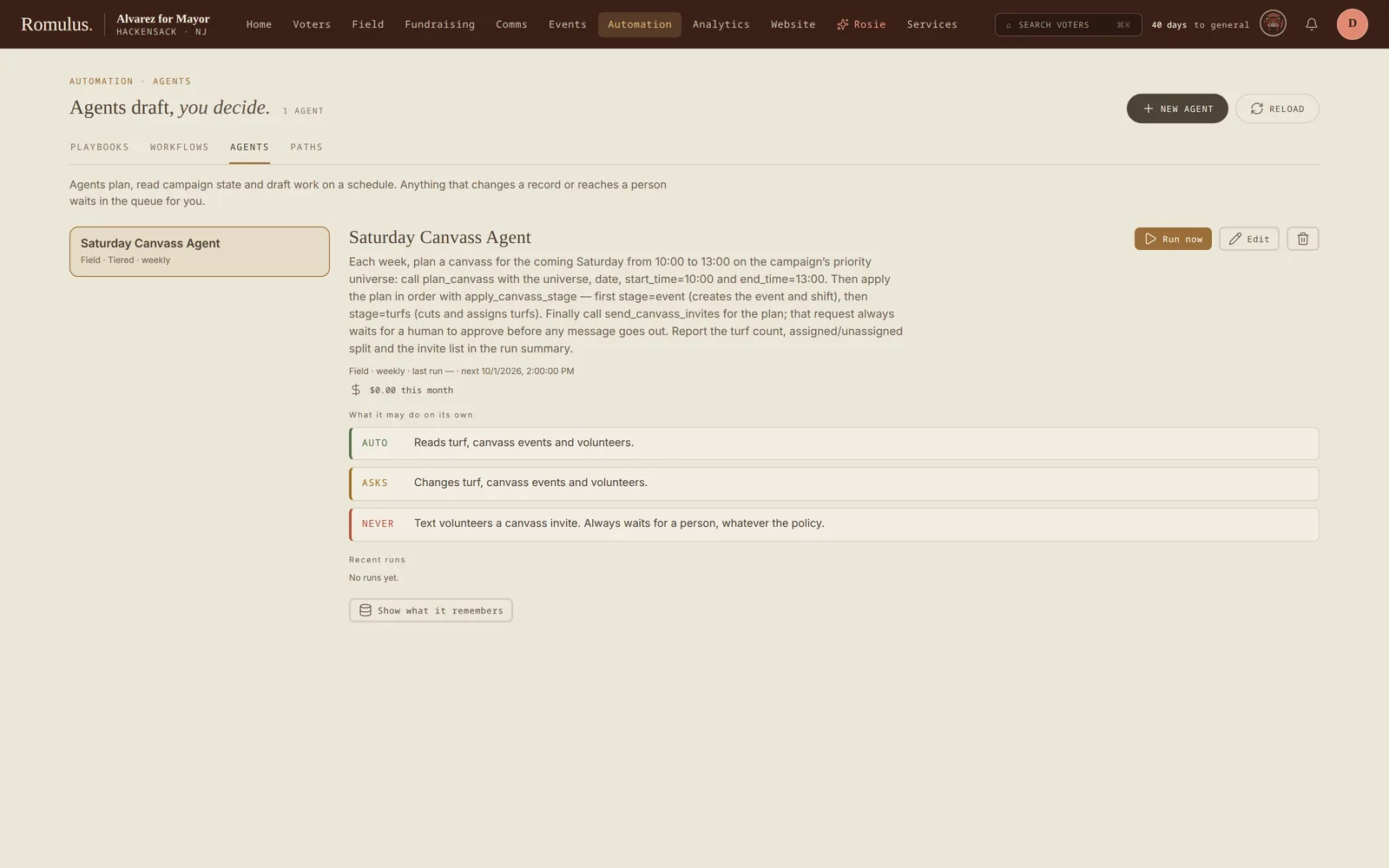
Agents do manual, scheduled, or event-triggered AI work. Start from a template (a daily comms brief, a field coverage check, a Saturday canvass, a weekly donor pipeline, a thank-you when a gift lands) or build one from scratch. Each tool an agent can use is sorted by risk (read, draft, change, send) and set to Auto, Asks, or Never, and anything that sends always waits for a person whatever the setting. You can watch a run as it happens and stop it, and each agent shows its month-to-date AI cost against a budget. Proposed actions land in an approvals queue for anyone with run_agents.
Services
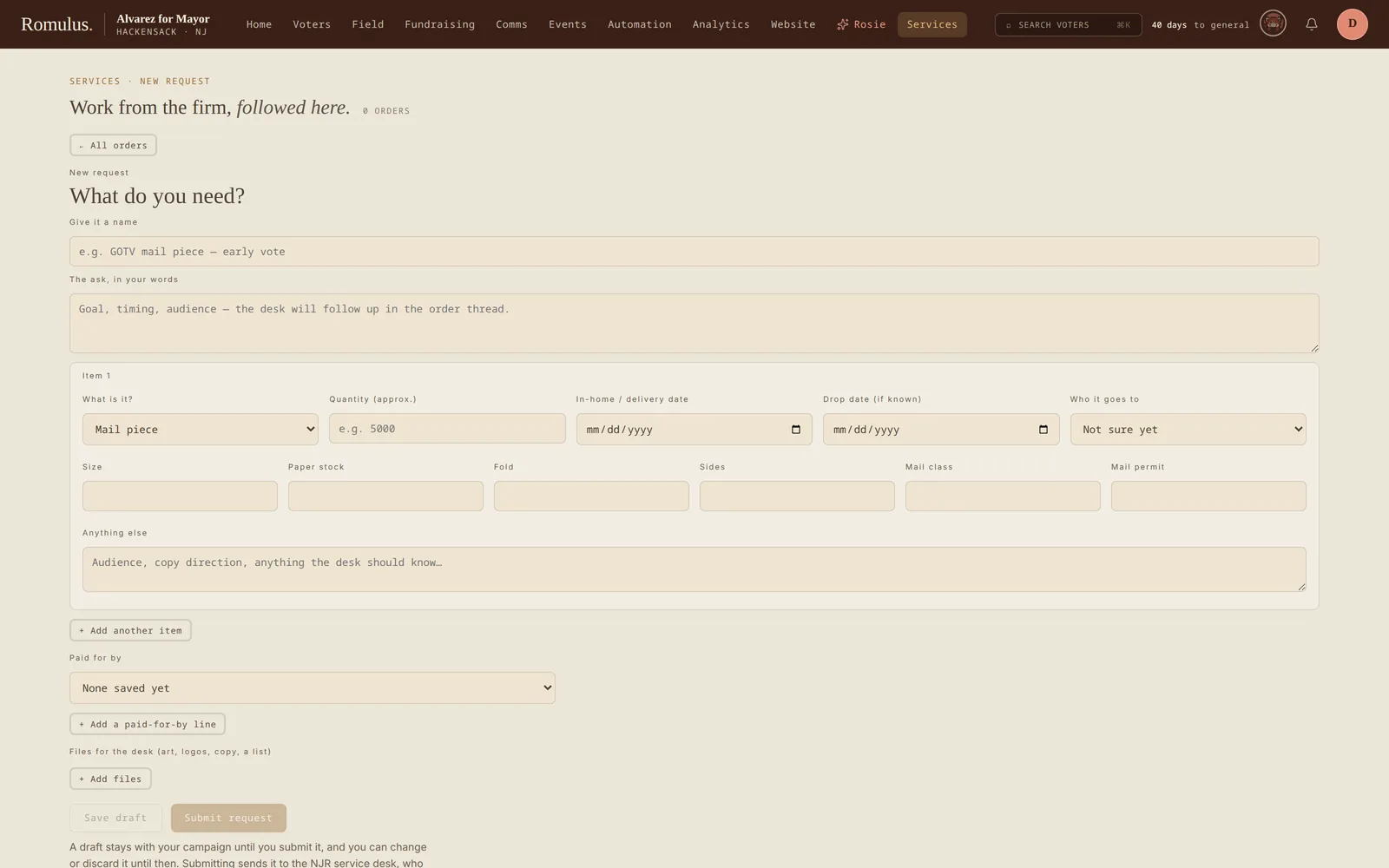
If NJR does work for your campaign (mail, print, websites, creative), the Services tab is where you request it and follow each order. From an order you can edit or discard a draft request, attach files, accept a quote, and approve a proof. It needs the request_services permission. Vendor details stay on NJR's side, and if a consultant is paying for an order, the quote and proof are theirs to approve.
Claude and other AI assistants
Romulus runs a Model Context Protocol (MCP) server, so Claude or another assistant that supports MCP can work with your campaign's data from outside Romulus. Add Romulus as a custom connector using your Romulus address followed by /mcp. The assistant sends you to Romulus to sign in (through your NJR account, where your campaign uses NJR sign-in) and approve access. When you approve, you choose read-only or read-and-write. A read-only grant can't change anything, even if your role could.
The assistant works as you. Every tool checks your role's permissions, calls are rate-limited, and each call is written to the audit log with the tool that ran (not the data you asked about). Access lasts an hour at a time and renews for up to 30 days, and you can connect only as campaign staff: office and government logins are refused.
The tools cover voters (search, records, vote history, counts, district statistics, and updating support and engagement), field (turfs and their voters, canvass events, scripts, active canvassers), fundraising (donors, transactions, summaries, fundraiser events, burn rate), communications (press releases, talking points, rapid responses, message pillars, and writing a new press release as a draft), operations (volunteers, events, petitions, issues, the audit log), and analytics (the dashboard, census data, model status, top voters by score, and past election results by area). Built-in prompts start common jobs: an outreach strategy, a fundraising analysis, a press release, a canvass script, a campaign health check, a persuasion brief, and an opposition research brief.
Website & public forms
The Website desk manages campaign pages, navigation, branding, and generated site builds. Published blog content can feed the campaign site. Publishing the site requires its hosting to be connected.
Public event pages, volunteer signup forms, petition pages, and contact-form integrations bring submissions into campaign records. Configure the form or portal and test a submission before linking it from the public site.