Reviewed September 24, 2026. Features depend on your enabled modules, permissions, and configured integrations.
Tip: permissions
The registry, shifts, and signup forms run on manage_volunteers with the volunteers feature. Blasts to volunteer lists use manage_comms; enabling the public event portal is manage_campaign.
The registry
Every volunteer has a profile: contact info, address (so you can suggest local turfs), availability, one organizing role (Captain, Canvasser, Phone bank, Data entry, Driver), free-text skill tags, status, and an optional linked voter, the bridge between volunteer ops and voter strategy. Volunteers arrive by manual entry, bulk CSV import, or straight from the public signup forms. There's a fourth on-ramp worth knowing, over on the Voters side: a voter tag can be set to create a linked volunteer record automatically, so tagging a supporter wants to help quietly seeds the registry without anyone re-keying a thing (see the Voters guide on tag automations).
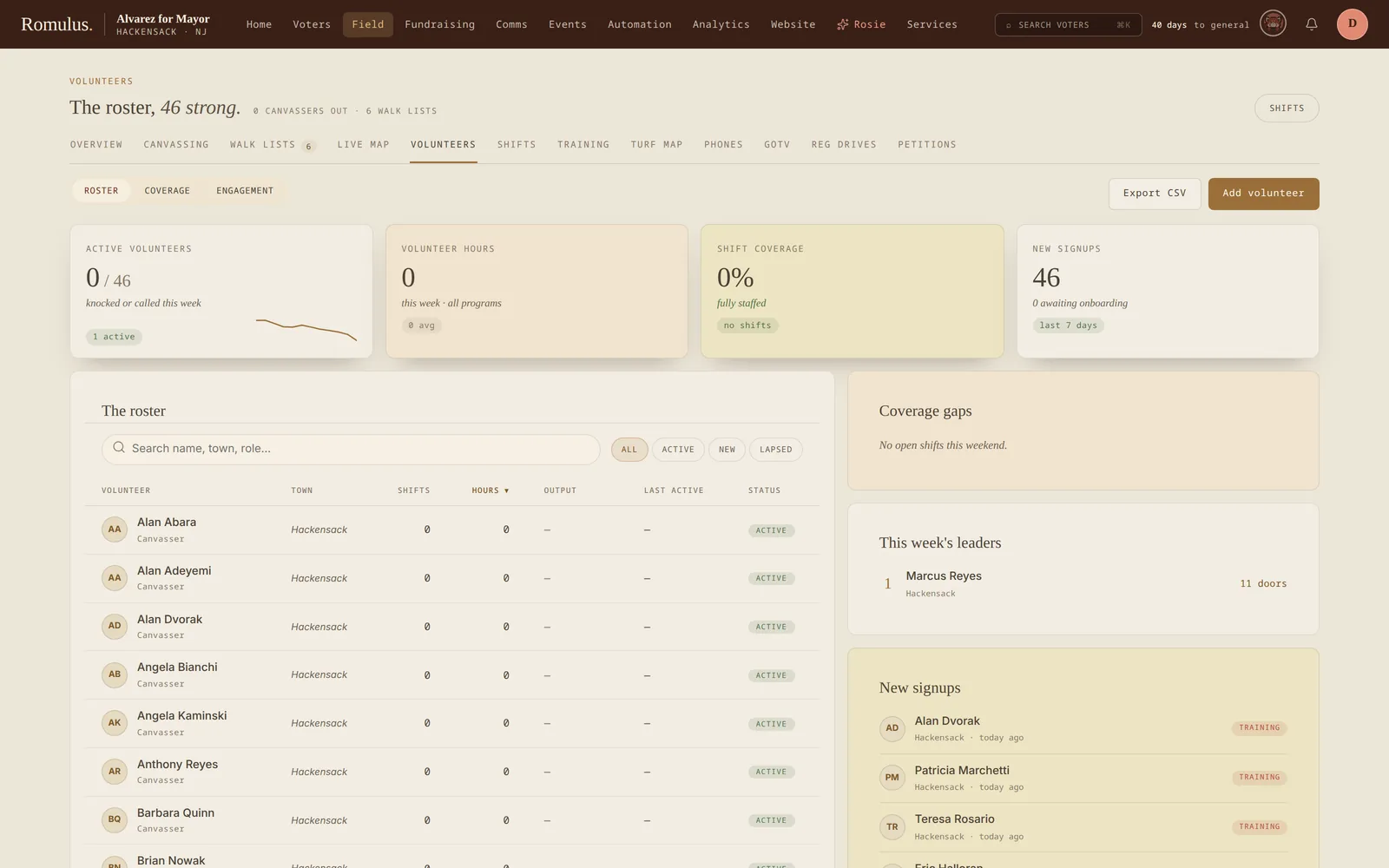
Toggle Canvasser on a profile to grant field-app credentials. Filter the registry by skill, availability, status, canvasser flag, or recent activity, and save filtered lists for reuse. Every event assignment is recorded, so you can see who shows up versus who signs up.
Mark people inactive instead of deleting when they stop showing up. The history is useful, and they often come back.
Shifts & reminders
A shift is a scheduled time window with a name, location, capacity, and an optional linked event. The background reminder worker sends nudges automatically at 24 hours, 2 hours, and 15 minutes before each shift (SMS first, then email, then in-app), with a confirmation link and a cancellation link so cancellations come back to the campaign instead of becoming no-shows.
Run check-in mode from a phone on the day: tap arrivals as they show. Checked-in volunteers feed each person's show rate, visible on their profile and filterable in the registry, so you know exactly who to trust with GOTV Saturday. For a weekly phone bank, the Recurring option generates the individual shifts, each still editable.
A staffing forecast reads each upcoming shift against its capacity and confirmations, so you can see which ones are running under-staffed (time to chase sign-ups) or over-staffed (send some crew elsewhere) while there's still time to fix it, instead of finding out at the door.
- Schedule with lead time. The 24-hour reminder is the highest-impact touch.
- Run check-in religiously; without it, show-rate data is bogus.
- Don't over-schedule. Asking for 30 and getting 8 hurts morale more than asking for 10 and getting 8.
Public signup forms
Signup forms are public pages, with no login, collecting name, contact, address, availability, and skills in a short multi-step flow. Host the pre-styled page on your campaign domain, embed it on WordPress with the Romulus plugin's [romulus_signup] shortcode, drop a ready-made signup block into a supported CMS, or drop the responsive iframe into anything else.
Submissions land in the registry as Pending, notify the volunteer coordinator, and send the volunteer a confirmation email (plus an optional welcome SMS). Rate limiting, a honeypot field checked on the server, and optional Cloudflare Turnstile keep most spam out. What gets through can be marked Spam in bulk from the pending list: no decision email goes out, and the address can't sign up again. Follow up within 24 hours. Volunteers who don't hear back lose the momentum that brought them to the form.
There's also a public event portal at /e/{campaignId} where supporters browse and RSVP to public events without an account, with capacity and waitlists, .ics calendar export, and email cancellation links included. Petition signature pages work the same way, with staff validating signatures from the admin view.
Training, matching & application review
Training modules hold written or linked content, required status, and completion records. Staff can track onboarding progress instead of maintaining a separate completion sheet.
Structured skills, availability, and reliability help explain shift and turf matches. A fuller engagement score and automatic re-engagement cohorts remain follow-up work.
Application review records an approve/decline decision and tracks its notification delivery, including failures and retry. Application approval does not grant canvasser access. Set up field credentials separately through the volunteer access controls.